While trying to figure out the way to get a 3D model from raw Lidar data, I first opened my LAS file in Global Mapper, exported it to DXF, imported then into Sketch-up and after recording a few scenes, I saved the animation… this is it!.
Alberto
Softening the blow of complex Geodata. Striving to ease up those spatial analysis we usually get stuck in! Alberto C blog on Data analysis
While trying to figure out the way to get a 3D model from raw Lidar data, I first opened my LAS file in Global Mapper, exported it to DXF, imported then into Sketch-up and after recording a few scenes, I saved the animation… this is it!.
Alberto
(source: http://dominoc925.blogspot.com/)
The height accuracy of the collected LiDAR data can be verified by comparing with independently surveyed ground control points on hard, flat, open surfaces. It is essentially just calculating the height differences for all the control points and then determining the height root mean squared error (RMSE) or differences. Most LiDAR processing software have the reporting function built-in. However, plain Microsoft Excel can also do the job (except for extracting the elevation from the LiDAR data).
Assuming that you are able to calculate the height differences for all the control points and place in a spreadsheet as shown in the figure below. I have a column of delta Z values in column A.

Then to calculate the RMS value for the elevation differences, I can do the following.


(source: http://dominoc925.blogspot.com/)
I’ve already entered my river but my imagery was in 2D so… was it well acquired?… First of all, I import my shape (shp) file into Global Mapper (what a great sofware!) and export my vector file as a KML.

Import my river.kml file into my brand new Google Earth 5.2 or just double-click it in his location… easyest impossible!.
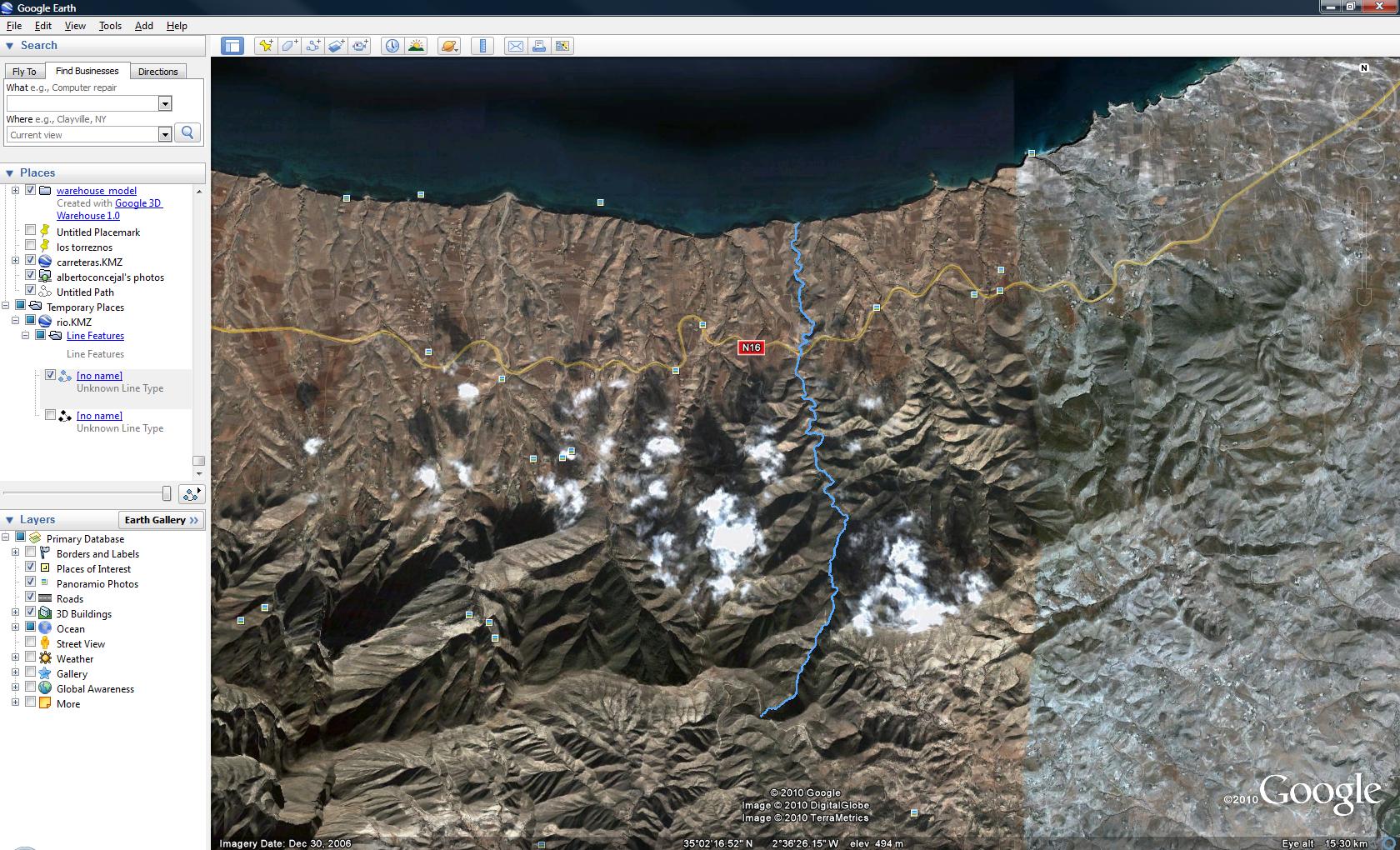
Select it and use ‘show elevation profile’, a very useful new tool for these purposes…

And that’s it, constant altitude, almost perfect!.
Hope you have considered it interesting:-)
Alberto
I hereby post this video by Matt Lowrie (Google). hope it’s interesting for you guys.
Alberto
Even from scratch or from dgn/dxf vectorial format’s contour lines you create your own scenario.

Then import your model previously created using Sketch-up (this time i used google’s 3d warehouse, thank you Dilbert).

Stamp your house using sketch-up sandbox tools.

Then fur your scenario as if it was grass…
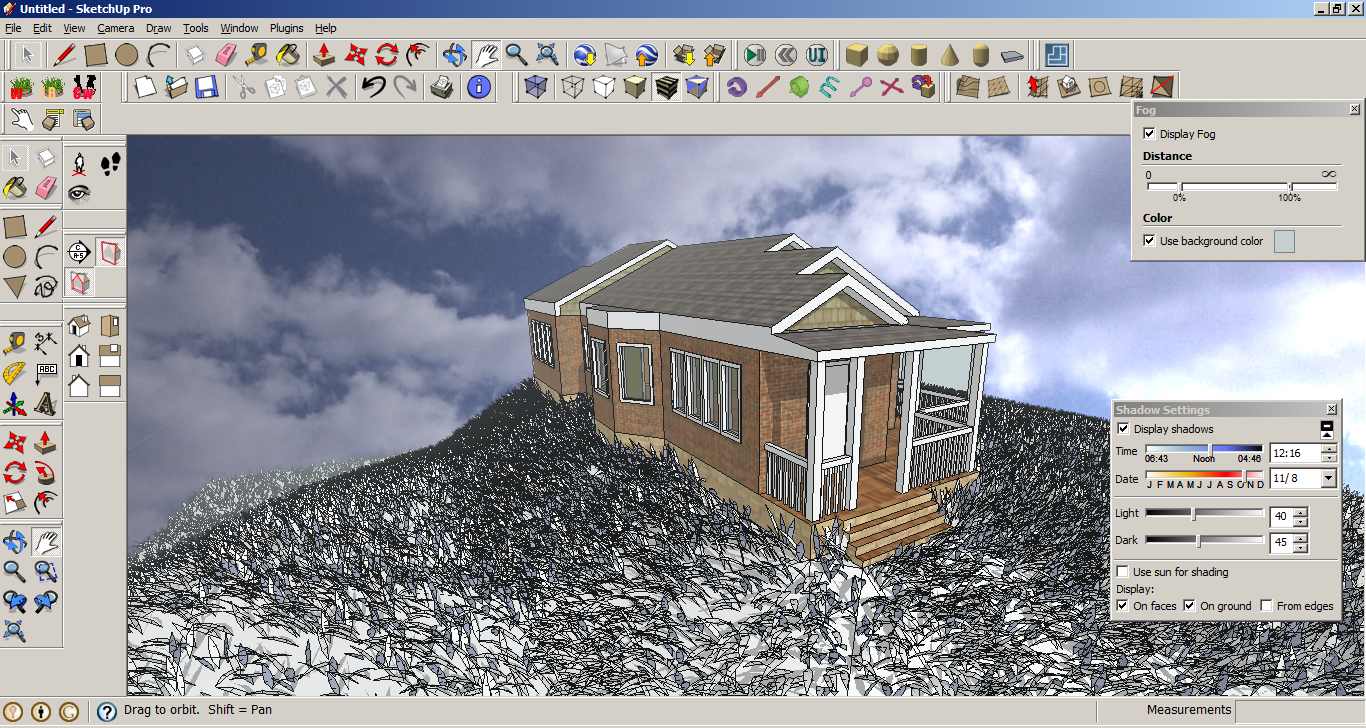
A little of photoshop like clouds and thats it!
Alberto C.
geographer, 3d designer & 3D GIS technician
My very good friend Fernando (a spanish/english like friend of mine:-)) introduced me this magnificent route planner he was using at that moment (three years ago!!!!)… map24.com had a very interesting 3D engine, very easy to use and very reliable… I’ve been using it since but it has never been one of the most famous among route planners in the market…
I strongly recommend it and i really like it a lot! enjoy!
http://www.es.map24.com/
http://www.map24.com/
Alberto C.
geographer, 3d designer & 3D GIS technician
I’ve extracted this information from the very interesting ‘Sketchup blog’ from Google… They talk about something I have always thought it could happen… Sketchup is not only a rapid visualization tool but a CAD like software with visuallization capabilities which in addition is integrated within a world wide used 3D scenary, perfect for Geovisualization and why not, GIS. Let’s take a look at what they say…
Collard Maxwell Architects is a Sydney-based architecture firm with a philosophy that successful architecture is the synthesis of art, technology and building economics resulting in memorable, economic and sustainable building solutions.
Alberto Sunderland, a Project Leader for CM+A, says that initially SketchUp Pro was used as a quick visualization tool of early concept work.

The models were never very detailed and it was a tool used primarily within the office. It was used as a quick way of understanding massing and scale to determine if the design was heading the right direction.
As our skill grew we began to use SketchUp to generate models we could show our clients to help them understand the projects and to provide a quick and effective way of trying out changes before updating all our cad documentation.
Over a period of time we began to use SketchUp Pro for tender presentations. Although we originally took the images and “dumped them” into Photoshop to create the presentation posters, we eventually discovered the possibilities of the SketchUp Pro’s LayOut tool. Combining LayOut with our SketchUp work has made the creation of simple, effective and clear presentations much quicker than our previous method utilizing Photoshop. We are very impressed.

We anticipate that SketchUp will become the primary visualisation tool in this office and, together with LayOut, it will be used to create most, if not all our presentation slides. The speed and ease of use of the software is amazing, and we are coming to appreciate the importance it may have within our workflow.

thanks to Chris Dizon, SketchUp Pro Team
hope you have consider it interesting.
Regards,
Alberto C.
BA Geography
MSc GIS and Remote Sensing
GIS Technician

Hi there, let me please show you guys my latest 3D job. I assume mine is the worst among these incredible 3D models created by my argentinian colleague Lisandro Baibiene (and very good friend by the way) …but I am proud they counted on me and allow me to join this winning team… hurray South Africa 2010!. The last one is mine (Loftus Versfeld, Pretoria (Tswane, SA). Hope You guys like them.
Alberto C.
3D GIS Technician
Cape Town, South Africa/Karlsruhe, Germany – 21 September 2009 – ComputaMaps, a leading geodata manufacturer and supplier, announced at Intergeo 2009 the availability of 3D photorealistic models of the stadiums of the 2010 FIFA World Cup to be held in South Africa next year.
 Using the latest in 3D software ComputaMaps created real world, fully interactive, geographically accurate 3D models of all 10 stadiums, that combine a photorealistic look with GIS precision. Designed for use in various applications such as navigation, location-based applications, news and media, internet platforms, visitor guides, and on mobile devices, the advanced models provides customers with a three-dimensional experience to browse and explore the 2010 Soccer World Cup venues.
The release of the stadium models builds on the company’s suite of digital 3D city models, presently available for more than 50 cities worldwide.
Three-dimensional models are available for all 10 World Cup stadiums across South Africa:
Green Point Stadium, Cape Town
Moses Mabhida Stadium, Durban
Ellis Park Stadium, Johannesburg
Soccer City Stadium, Johannesburg
Free State Stadium, Mangaung/Bloemfontein
Nelson Mandela Bay Stadium, Nelson Mandela Bay/Port Elizabeth
Mbombela Stadium, Nelspruit
Peter Mokaba Stadium, Polokwane
Royal Bafokeng Stadium, Rustenburg
Loftus Versfeld Stadium, Tshwane/Pretoria
I started modelling 3D buildings quite a few years ago, I used to use 3D StudioMAX… After almost forgetting everything i knew about modelling, 3D and so on Sketch up was released by Google. In a few days i was not just making demos but working and producing!!! Its extremly easy!!!!. Now They have just released something called “Google Earth 3D Building Maker” and its amazing, theres no need to know anything about modelling, you just have to insert polygons and move vertexes…very intuitive indeed!.

place the number of polygons you need…move their vertexes to the proper position.

Directly upload it to your Google 3D warehouse…

And finally take a look at it inside Google Earth… that’s it!.

You can always use Sketchup to perfect it… but it’s good enough…a piece of cake!
http://sketchup.google.com/3dwh/buildingmaker.html
Some of the buildings located in Madrid and Cape Town are mine!
Any questions?, please, don’t hesitate to contact me on:
Alberto C.
3D GIS Technician
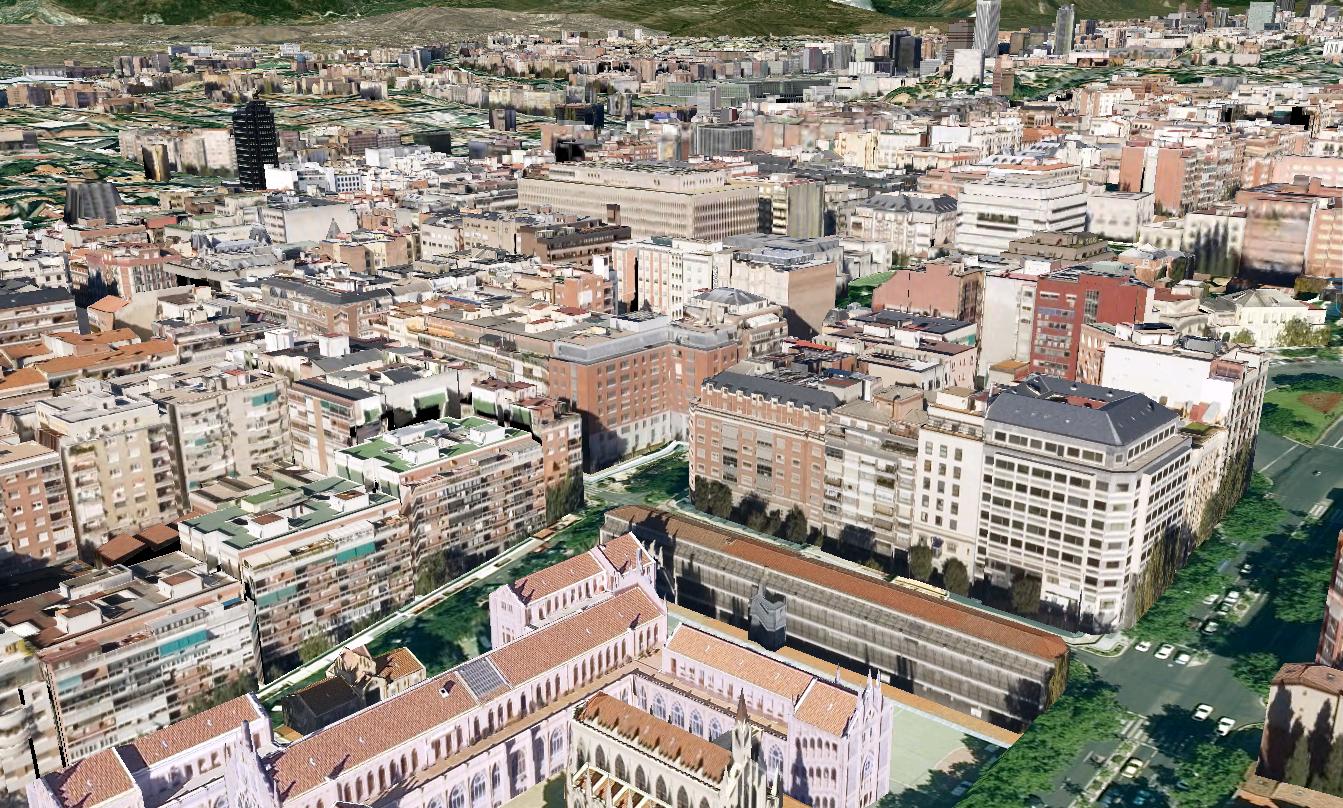
Madrid, Spain is the latest city to be introduced to the 3D Buildings layer in Google Earth.
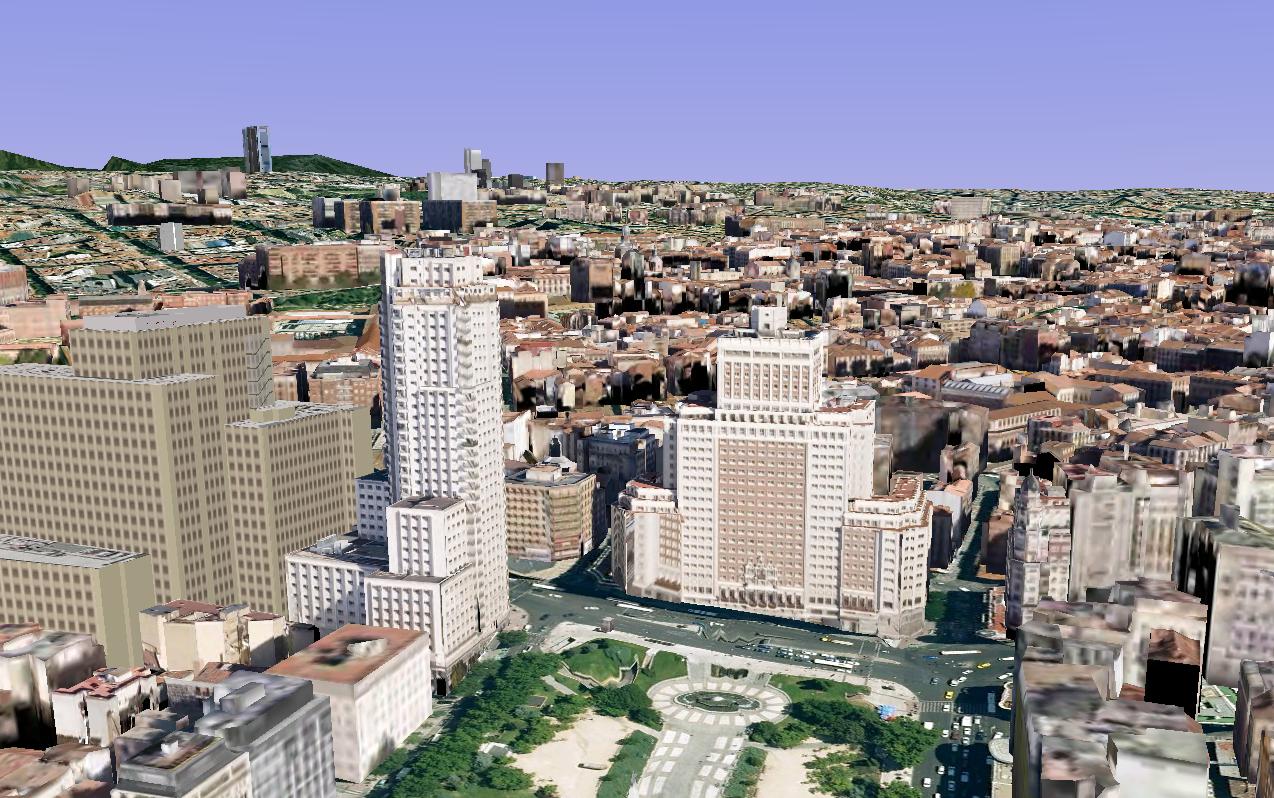
The City of Madrid contains scores of beautiful structures ranging from art museums and classical monuments to palatial government buildings. The prevalence of architectural wonders may explain why passionate geo-modelers have created thousands of models there (using both Google SketchUp and Google Building Maker) — the largest concentration of 3D models anywhere the world!
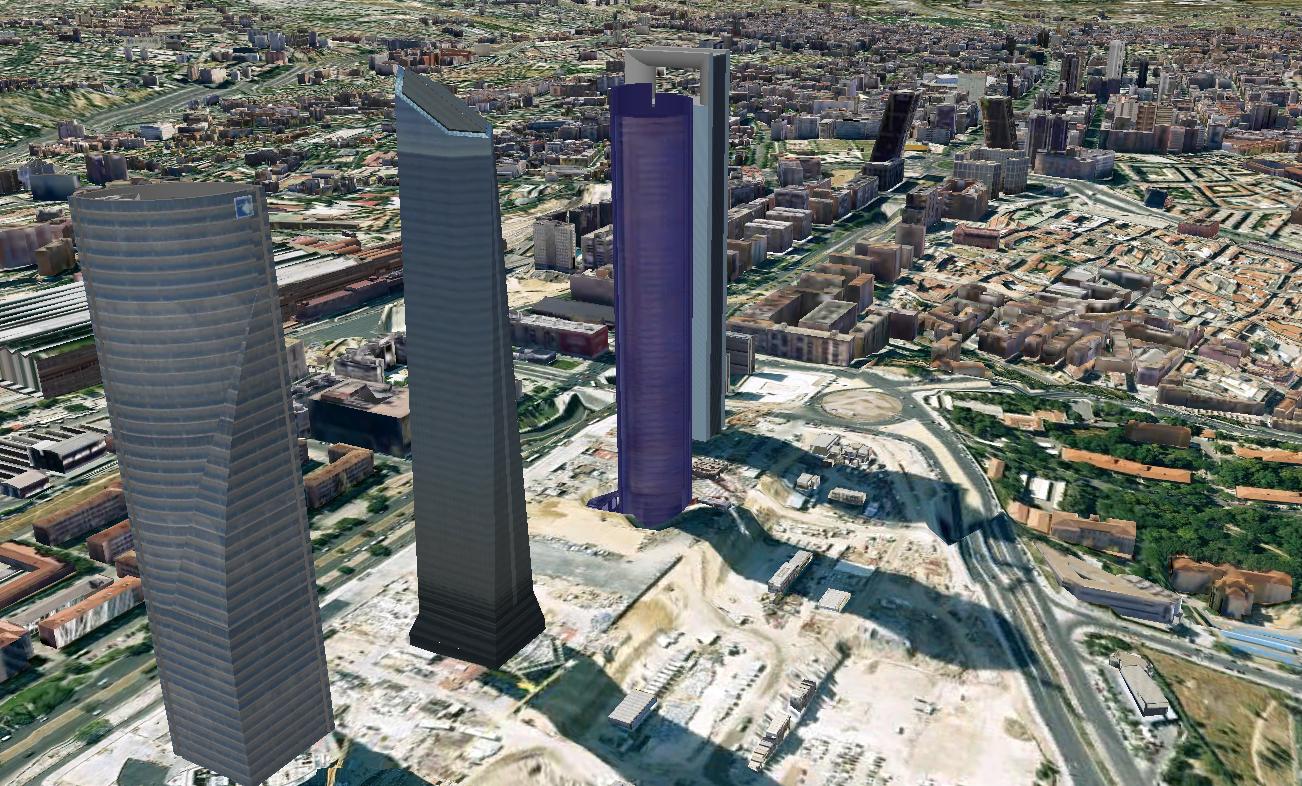
To start your virtual tour, I recommend you fly to El Palacio real de Madrid (Royal Palace of Madrid), the official residence of the King of Spain. From there I’d fly over to the Puerta de Alcalá, a famous classical monument located in the Plaza de la Independencia (Independence Square), and then over to the Monumento a Alfonso XII en el Parque del Buen Retiro, a beautiful monument that is among the greatest in Europe.
And don’t miss the Plaza de Cibeles where the famous statue Fuente de Cibeles is surrounded by trees and beautiful buildings, including the stunning Palacio de Comunicaciones(Madrid City Hall) and Banco de España (Bank of Spain) buildings.
If I were to visit Madrid for real, I think I’d want to stay at the Palace Hotel, which is a short walk to the famous Prado Museum (one of my all-time favorite models in Google Earth) where you can fly inside and experience the great works of art.
Fútbol (American soccer) fan? Madrid is the home to Real Madrid, who play in the Estadio Santiago Bernabéu. Olé

 Geovisualization.net